
Google Ads Performance
What the Google Ads account is returning, on one screen for management.
Short answer
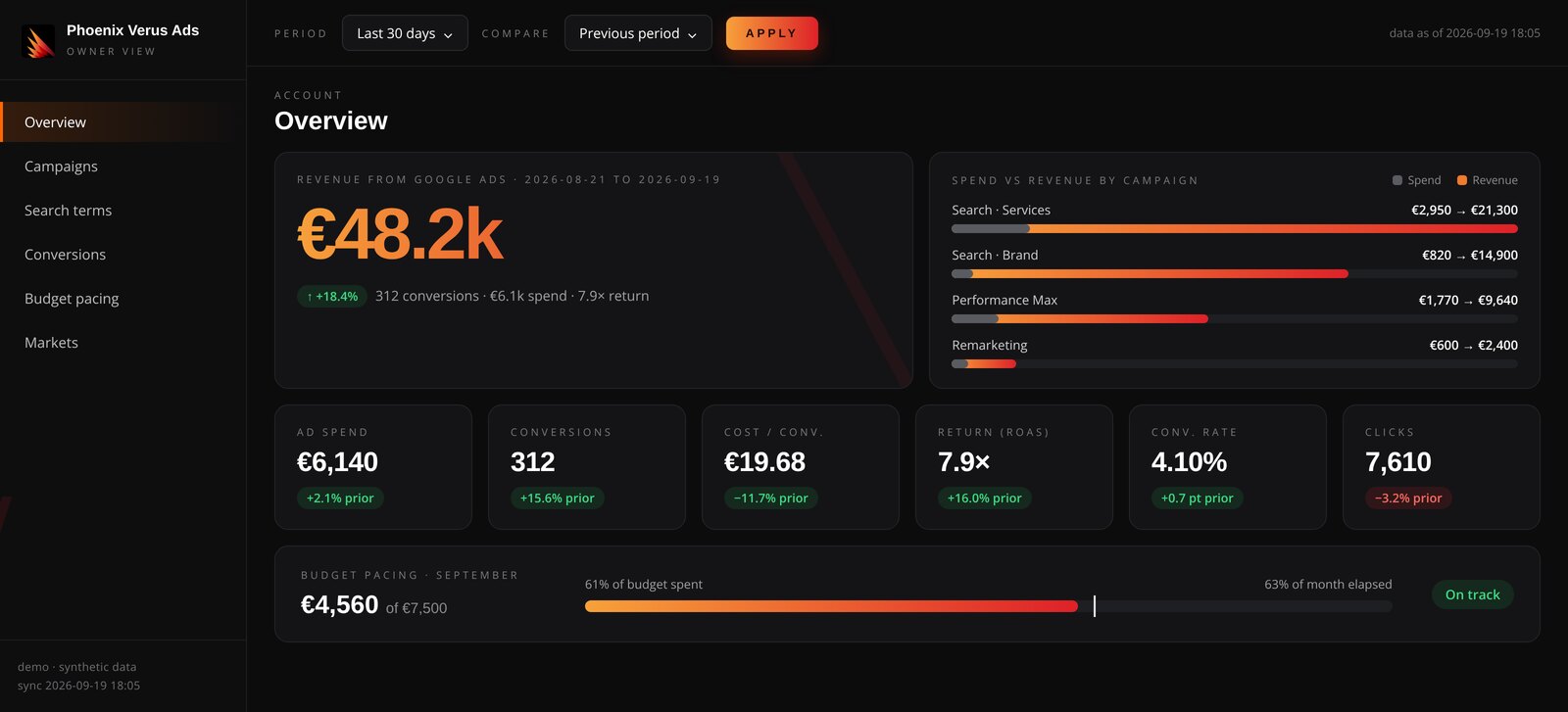
A Google Ads performance dashboard written for owners and management rather than account managers: revenue from advertising, return on spend, cost per conversion, spend against revenue per campaign, and budget pacing through the month. The demo runs on synthetic data. Access is on request — leave a name and business email and we send you the link.
What you will see
- Revenue from advertising for the chosen period, against the previous one
- Spend, conversions, cost per conversion, return on spend, conversion rate and clicks
- Spend against revenue per campaign, so it is clear which ones pay for themselves
- Budget pacing through the month: how much is spent against how much of the month has gone
- Search terms, conversions and markets in separate views
What data it runs on
Synthetic data, shaped to resemble a mid-sized account. No figure comes from a client account.
In practice the dashboard connects directly to your own Google Ads account and GA4, and revenue is read from there rather than declared.
How access works
On request. Leave a name and business email and we send the link with instructions. It does not open automatically, because the demo environment is prepared per request.

Contact us
Send us the brief or book a short call. You get concrete next steps in reply.